 JobSense
Do the job. Get paid.
JobSense is the app trades use to book work, take the photos, send the report and the invoice, and get paid. On your phone on site, and on the computer in the office.
No card needed. Then from £10/month, excluding VAT.
- Works on any phone, no signal needed
- Card payments built in
- Set up in minutes

Connects directly to the tools you already use
- £28a month for up to 5 people on the Team plan, not per user
- 14 daysfree with everything switched on. No card needed
- 300AI write-ups and draft quotes a month, included in the trial
- 1%card fee on payments, never more than £10 a payment
How a job goes
From the first phone call to the money in the bank, without the paperwork stacking up in the van.
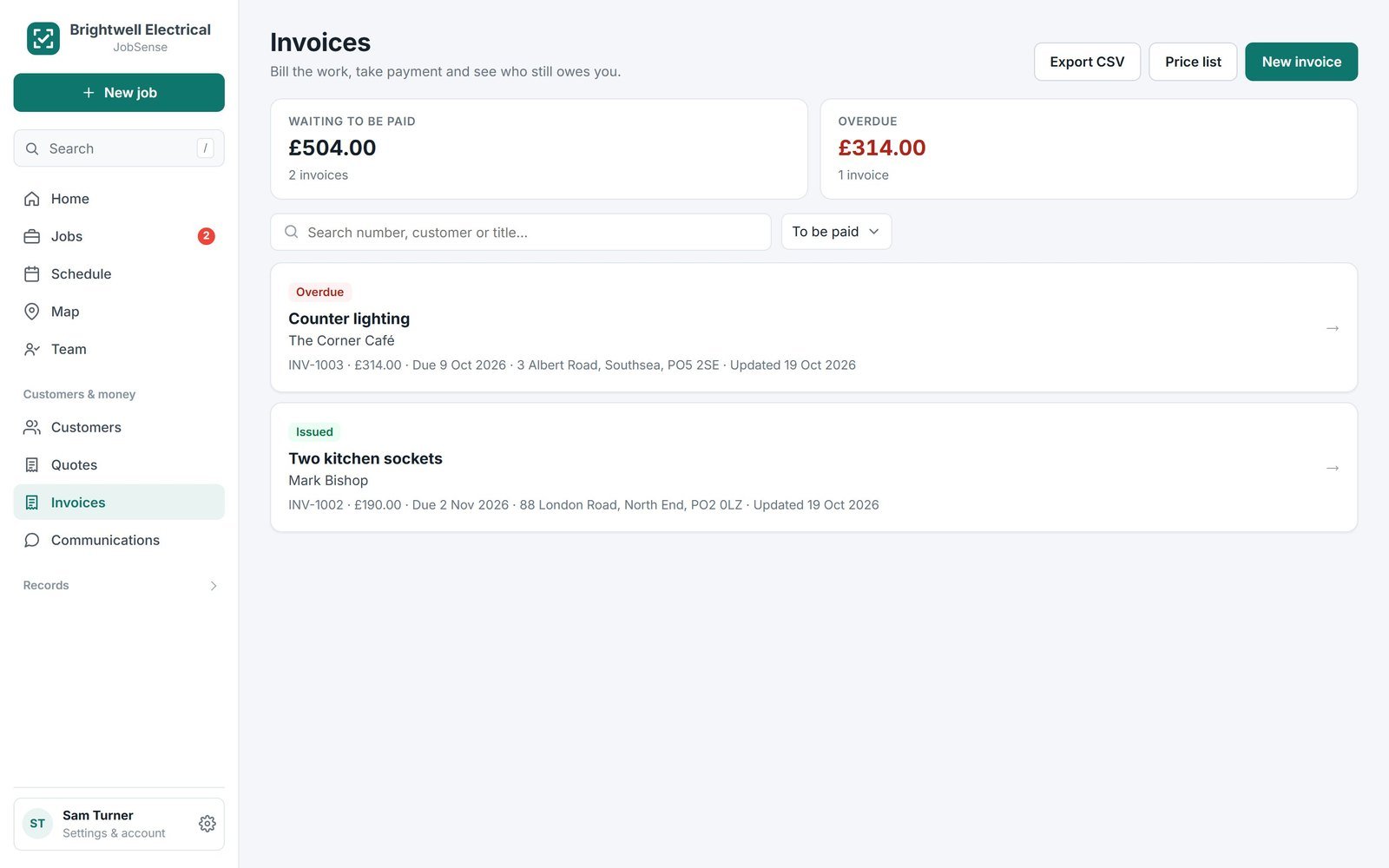
All the jobs, none of the paperwork
Every feature on every plan. No add-on modules to buy.
Walkthrough reports
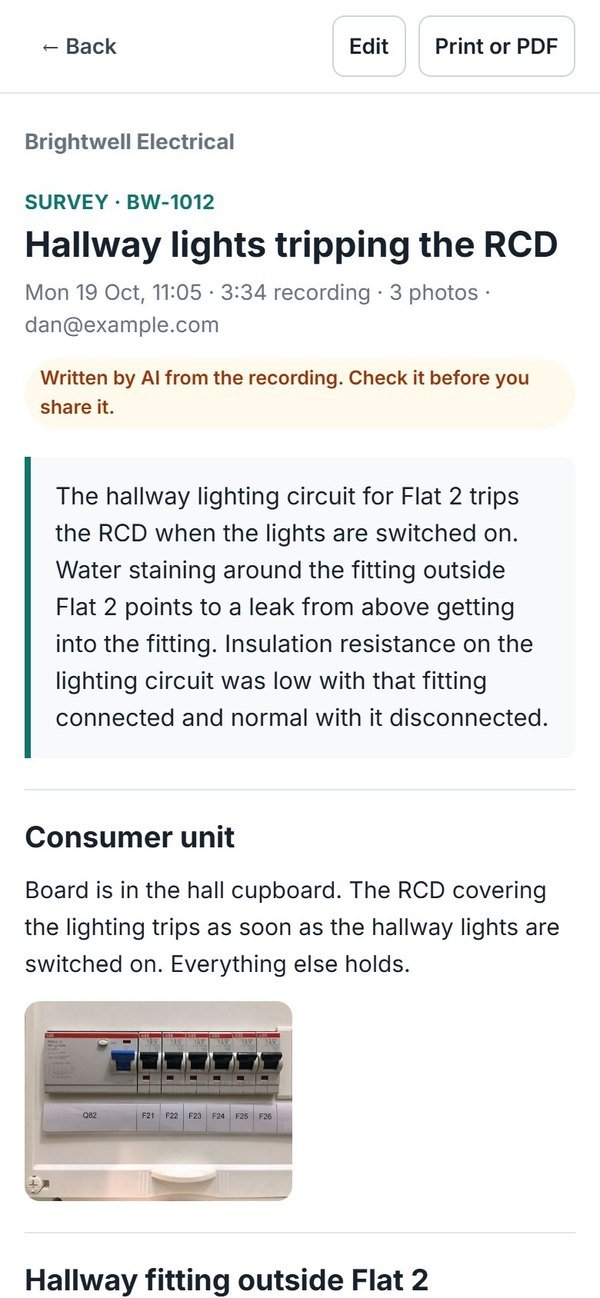
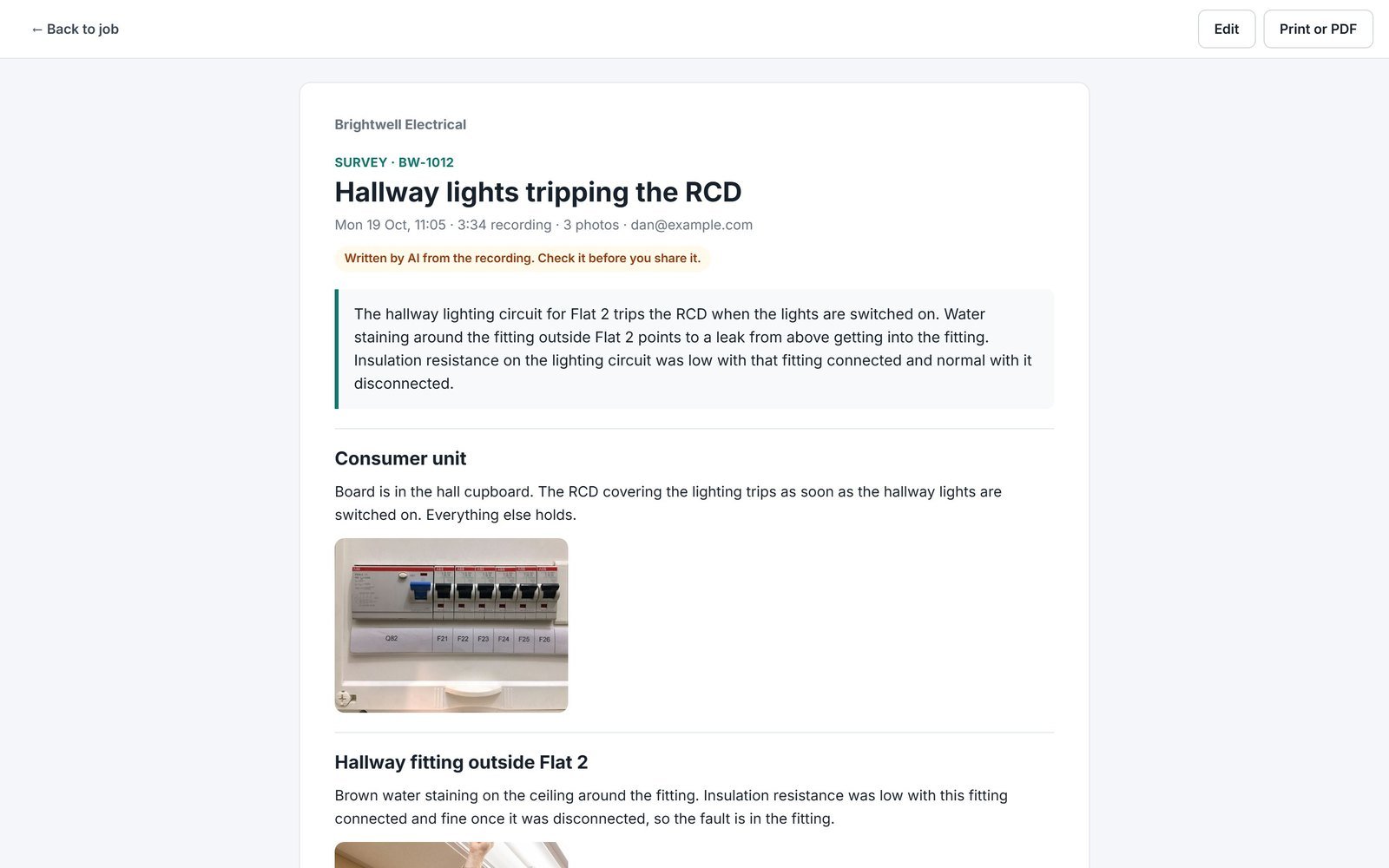
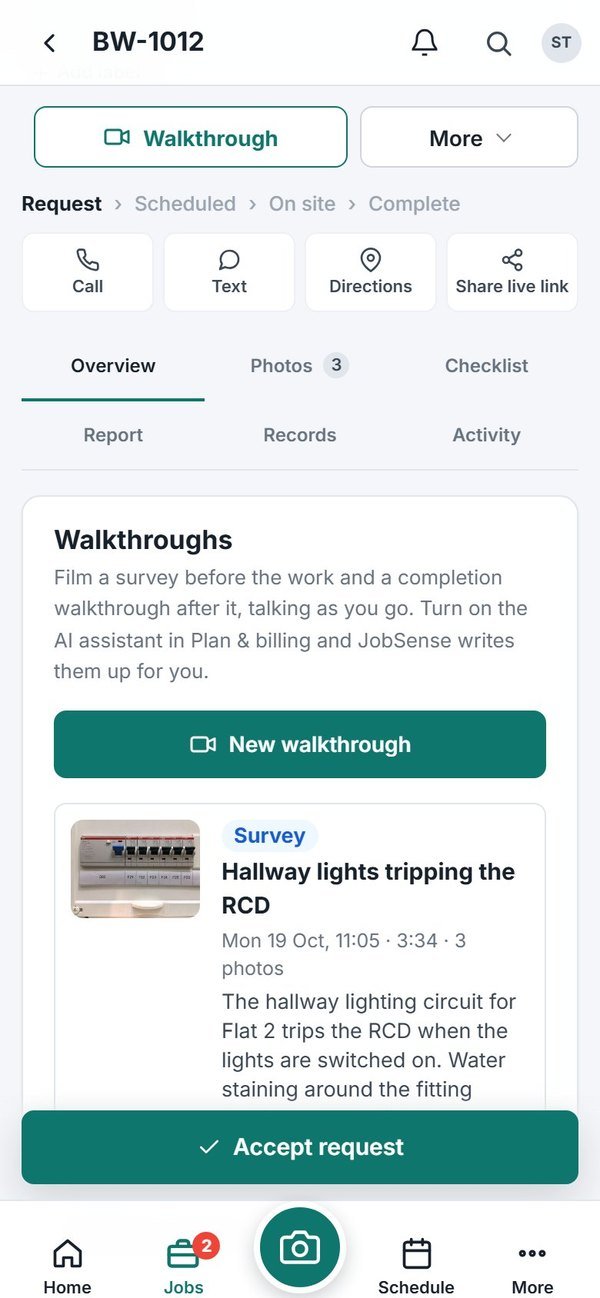
Film the job and talk through it. JobSense writes the report, puts your photos in place and drafts the quote.
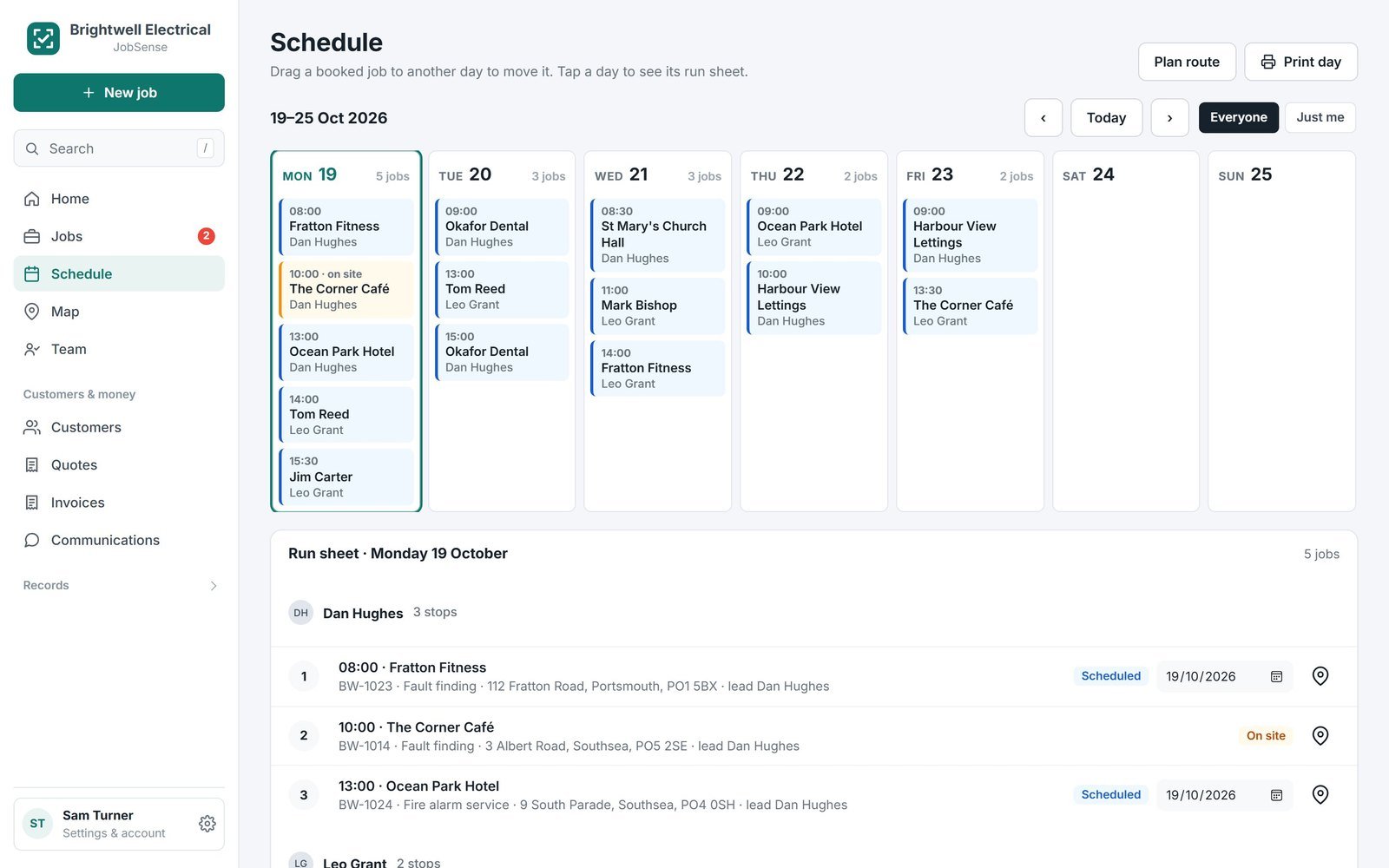
Schedule and run sheets
Drag jobs onto the week, see everyone's day and the map, and print the run sheet.
Photos that never get lost
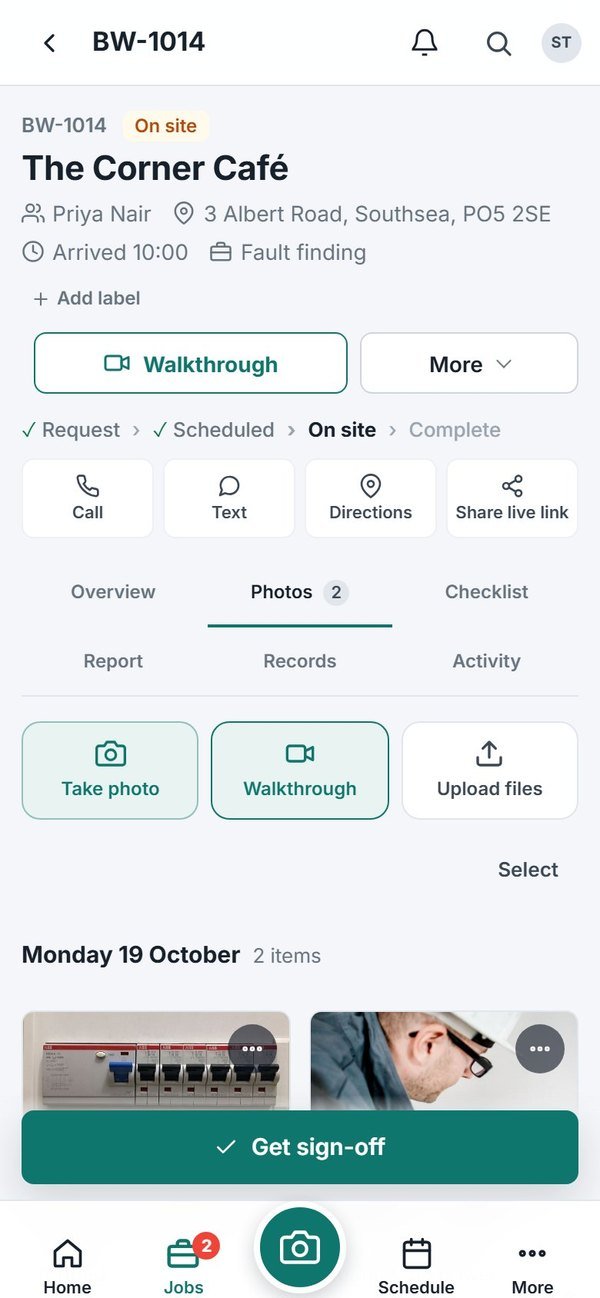
Photos and video save on the phone first and upload when there's signal.
Reports and sign-off
Checklists, signatures on the glass and a branded report sent as a link.
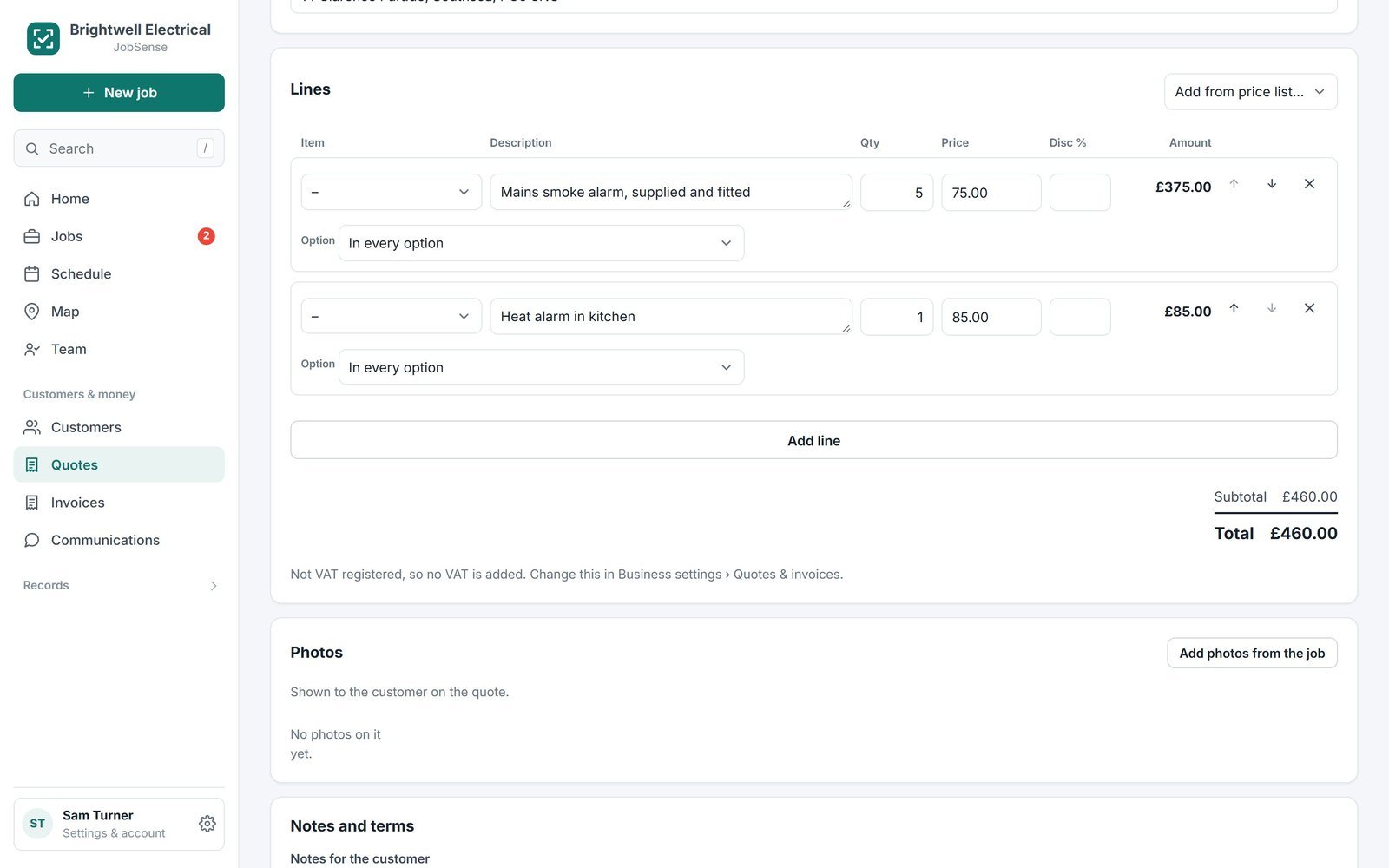
Quotes, invoices and card payments
Price list, VAT, CIS and deposits. Customers accept and pay online.
Certificates
EICR, Minor Works, Gas Safety, or build your own templates.
Documents and RAMS
Risk assessments, method statements and handover packs, filled in on site.
Customer portal
Customers see their visits and reports and raise new jobs, even with several firms.
Your own booking link
jobsense.app/book/your-name takes requests with photos straight into your jobs.
Texts and emails
Booking confirmations, reminders and "on my way" messages go out automatically.
Timesheets
Hours come straight from arrival and departure. Export to CSV for payroll.
Repeat visits
Services and maintenance contracts book themselves and remind you.
One sign-in, several businesses
Work for more than one firm? Switch between them in a tap.
Walk the job. Get the report.
Press Walkthrough, film as you go round and say what you see. Tap to take photos without stopping, and pause between rooms. When you stop, JobSense writes it up: a summary, a section for each area, and every photo in the right place.
- Edit it, print it or save it as a PDF
- Add it to the job log or turn the next steps into follow-ups
- Up to 10 minutes per walkthrough
The quote writes itself
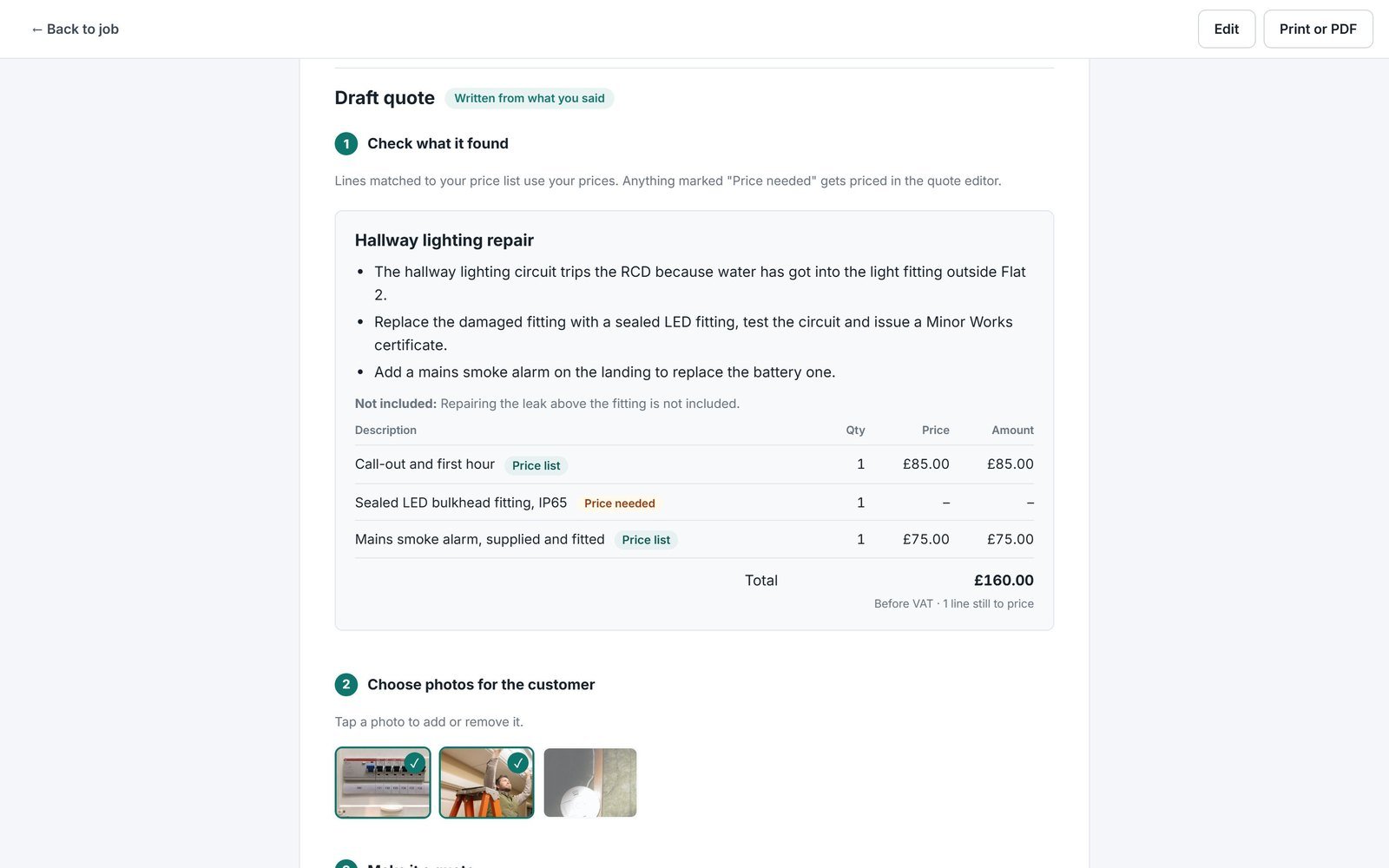
Mention work that's needed and the walkthrough drafts the quote: what you found, what the job involves, parts and labour priced from your price list, and Good, Better and Best options if you offered a choice. One tap opens it as a real quote with the photos the customer needs to see.
- Only when there's work to quote
- Anything not on your price list is flagged for a price
- Nothing goes to the customer until you send it
Quote it, invoice it, get paid
Build quotes from your price list, send them as a link, and turn an accepted quote into a job and then an invoice. Customers pay by card straight into your own Stripe account.
- Deposits, VAT and CIS handled
- Automatic payment reminders
- 1% fee, never more than £10 a payment
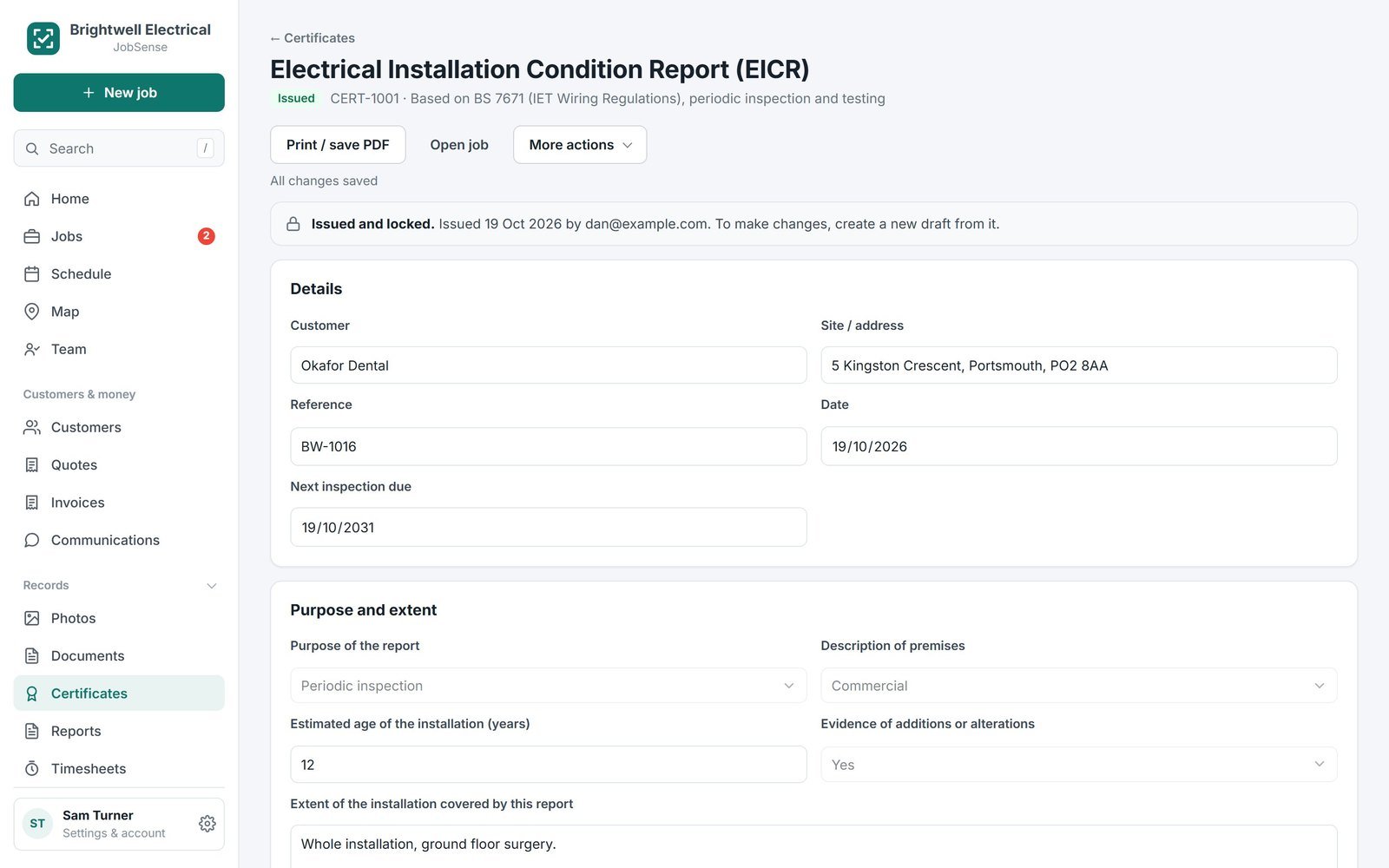
Certificates and paperwork, done on site
Fill in EICR, Minor Works and Gas Safety certificates on the phone, or make your own templates. Documents and RAMS live with the job.
- Signed and issued as a link
- Your logo on every page
- Find any certificate in seconds
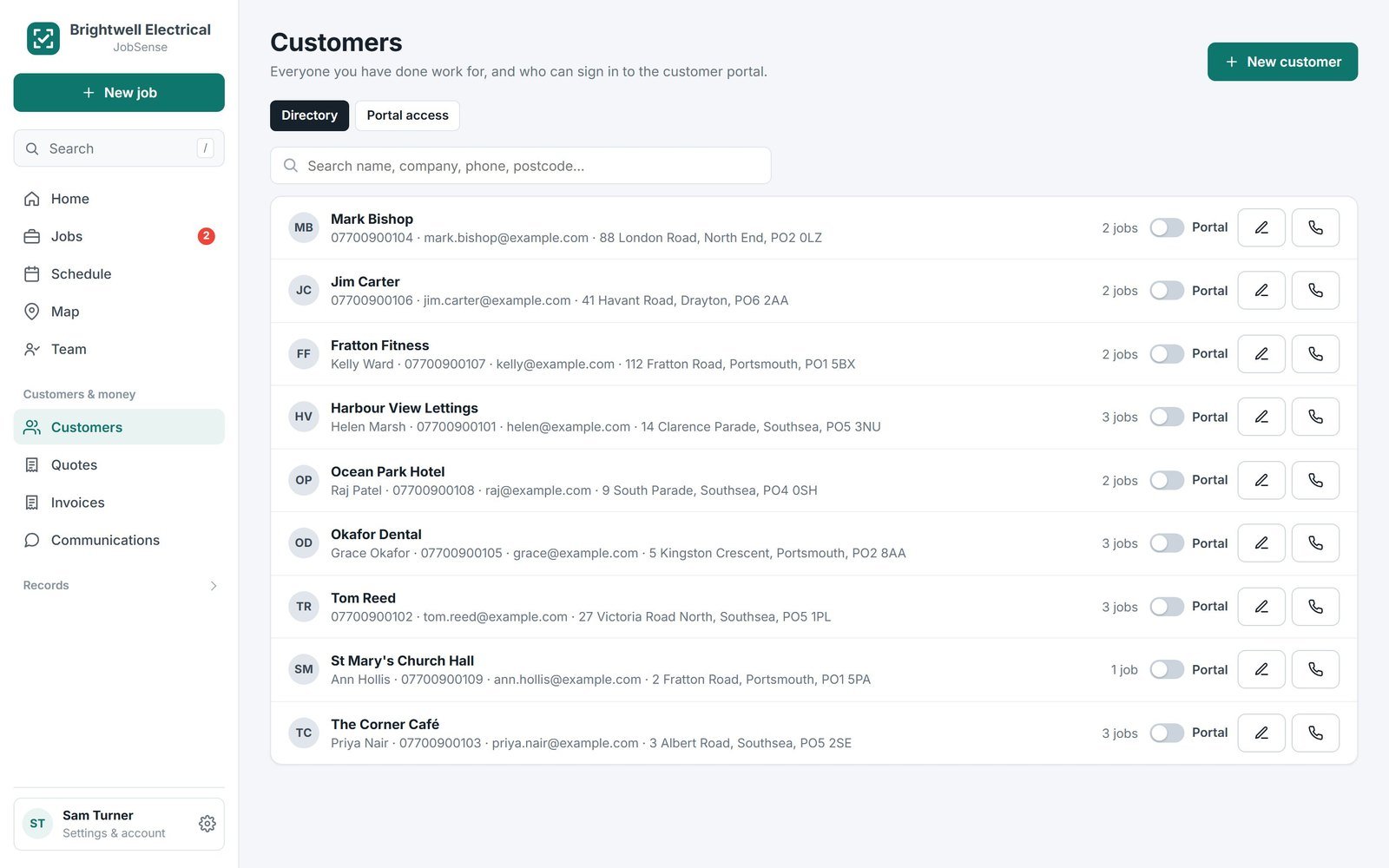
Customers who can help themselves
Your customers get a portal to see their visits, reports, quotes and invoices, and to ask for a visit. Share your booking link and requests arrive with photos attached.
- Live "on the way" timeline links
- Works for customers of several firms
- No app for them to download
One price for the team, not per user
Most job apps charge for every person. JobSense charges for the business, with everything included.
JobSense vs Tradify
JobSense vs Joblogic
JobSense vs CompanyCam
Competitor prices are from their public UK pricing pages, checked October 2026, excluding VAT. Prices change, so check their sites. Not affiliated with any of them.
Made for people on the tools
Big buttons, works with no signal, and nothing to set up before your first job.
Pricing
Everything's included on every plan. Just pick how many people you need.
Team
You, the van and the office
5 people · 100 GB storage
Billed monthly. Cancel any time.
Business
A few crews on the road
15 people · 250 GB storage
Billed monthly. Cancel any time.
Prices exclude VAT. 14 days free, no card. For businesses based in the UK.
Recommend JobSense. Earn credit.
Share JobSense with another trade business. When their paid subscription qualifies, you both receive credit towards future bills.
Share your link
Copy your referral link from Settings → Plan & billing and send it to the business you want to invite.
They start paying
They sign up through your link and choose their plan. Their first qualifying subscription payment unlocks the reward.
You both get credit
Your reward follows the tier and billing duration they choose. Track your referrals and issued credit in Plan & billing.
Rewards follow the offer at the qualifying payment. Credit reduces future bills. On yearly plans it may be used at renewal; if you are not paying yet, your reward waits until you start a paid subscription.
Questions
How do referral rewards work?
Share your link from Settings → Plan & billing. When the invited business signs up through it and makes its first qualifying subscription payment, both businesses receive account credit. Your reward is based on the new customer’s tier and billing duration under the offer at that time.
Where can I see my referral credit?
Track referred businesses and your credit in Settings → Plan & billing. Credit reduces future bills rather than refunding a payment already made. On yearly plans it may remain until renewal. If you are not paying yet, your reward waits until you start a paid subscription.
Can I use it outside the UK?
Not at the moment. JobSense is built for UK trades: pounds, VAT, CIS, UK certificates and UK texting. Sign-up is open to businesses based in the UK. Your customers can still open their links from anywhere.
How long is the free trial?
14 days, with everything switched on and no card. If you don't pick a plan by the end, nothing is charged.
Yearly or monthly?
Yearly is paid once for 12 months at the discounted yearly price. Monthly is paid month by month and you can cancel any time.
Can I cancel?
Yes, in Business settings. Monthly stops at the end of the month you've paid for. A yearly plan runs to the end of the year you've paid for and doesn't renew.
Do my customers need an app?
No. They get a link by text or email to book in, see when you're coming, read the report, accept the quote and pay the invoice.
Does it work without signal?
Yes. Take photos in a loft or a plant room and they upload by themselves when you're back in coverage.
How do card payments work?
Connect your own Stripe account, which takes a few minutes. Customers pay deposits and invoices online and the money goes straight to you.
Is it just for certain trades?
No. It works for any business that goes out to jobs and sends paperwork afterwards: electricians, plumbers and heating engineers, builders and roofers, fire and security, IT and telecoms, cleaning, landscaping, pest control, maintenance and many more.
Who owns the data?
You do. Export it whenever you want. Close your account and we delete it.