 JobSense
Film the job. Get the report written for you.
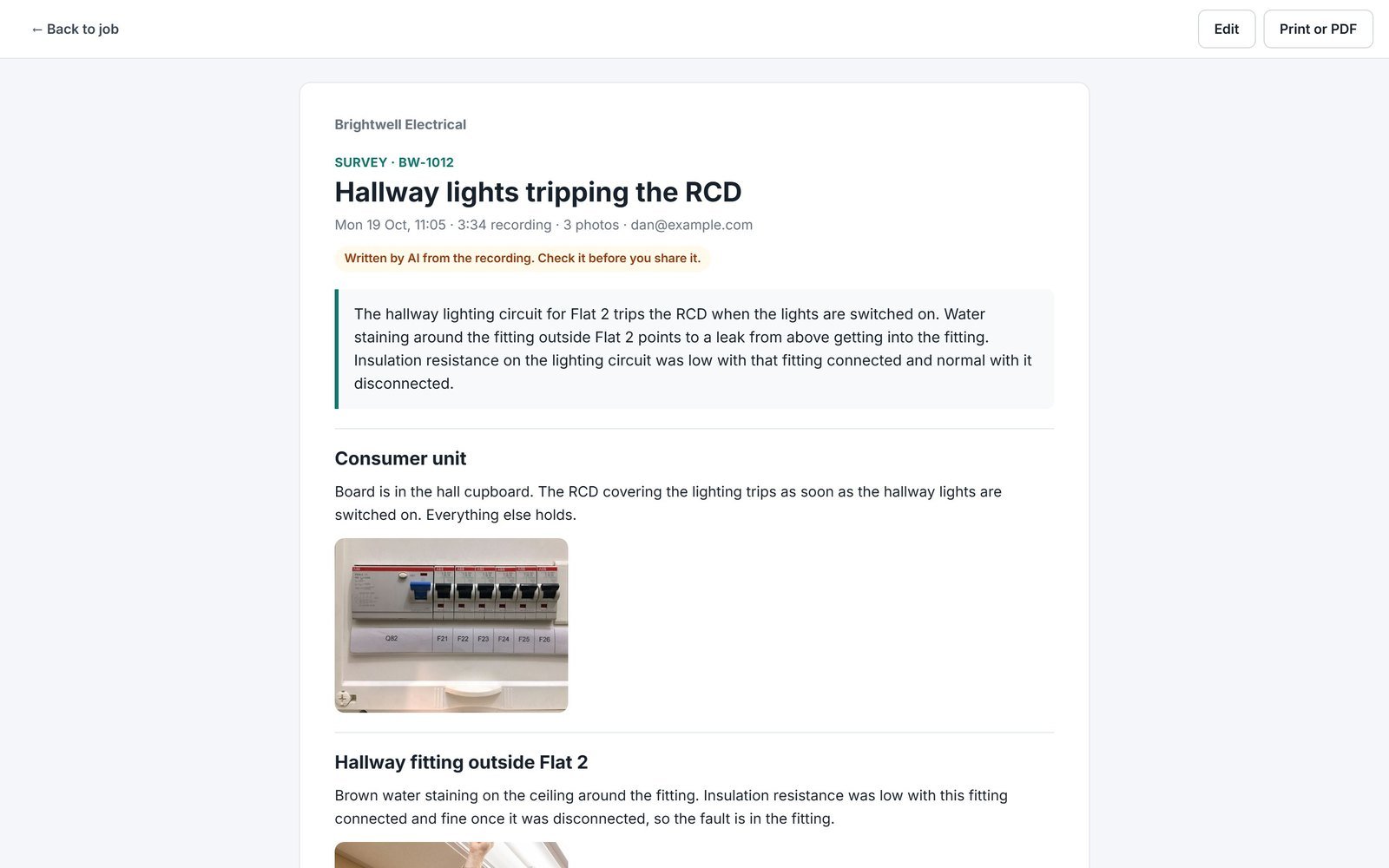
Walk round, say what you see and take photos as you go. JobSense turns it into a proper report, with every photo in the right place, and drafts the quote when there is work to do.
A survey that writes itself
Press Walkthrough on the job and start talking. When you stop, Gemini writes it up: a summary, a section for each area you walked, and your photos placed where they were taken. Before the job, it fills in What needs doing; after it, Work carried out.
- Up to 10 minutes, with pause and resume
- Photos taken mid-recording land in the right section
- Edit, print or save as a PDF
The quote is drafted from what you said
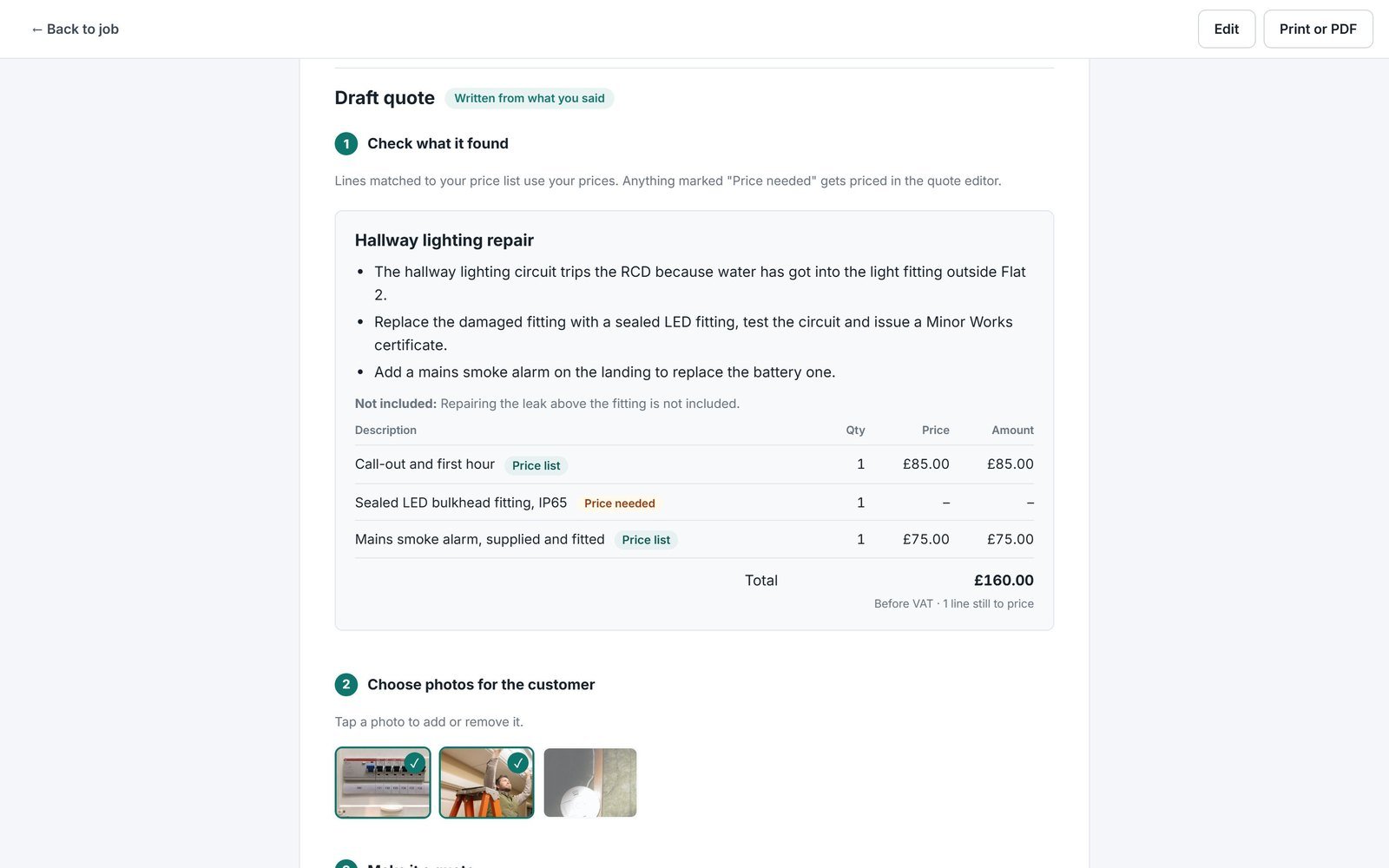
Mention the work that is needed and the walkthrough drafts a full quote: what you found, what the job involves, parts and labour priced from your own price list, and Good, Better and Best options when you offered a choice. Choose the photos the customer should see, then open it as a real quote.
- Only when there is work to quote
- Anything not on your price list is flagged for a price
- Nothing goes to the customer until you send it
Made for the phone in your hand
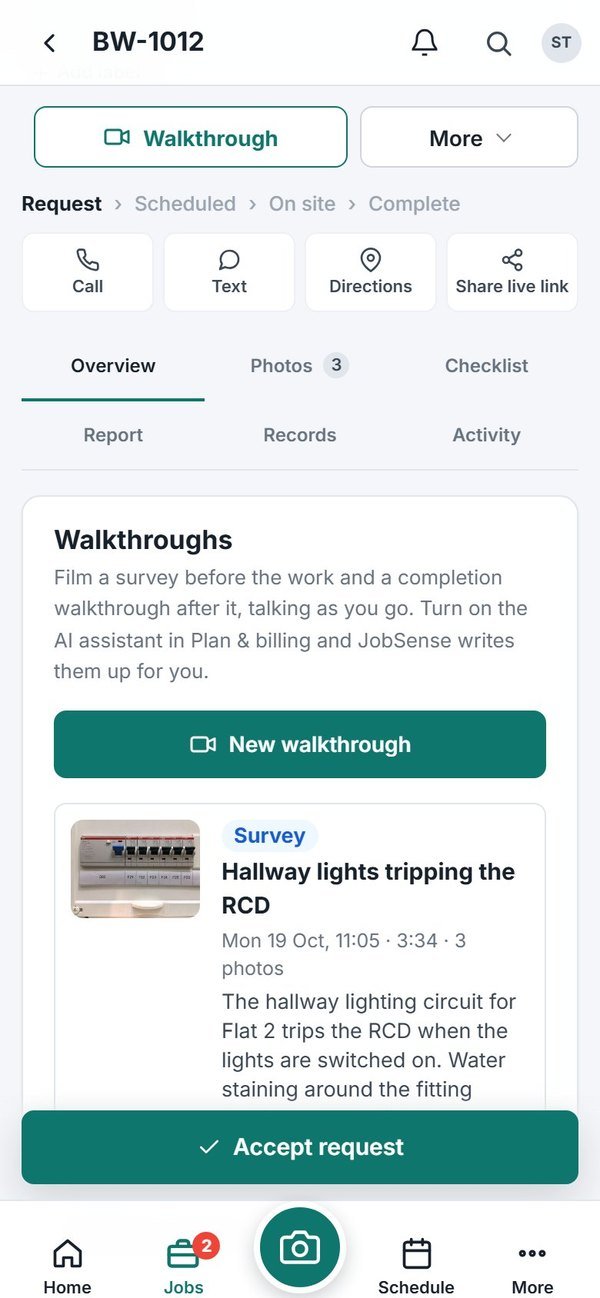
The Walkthrough button sits at the top of every job and on the camera button. Pick Survey or Completion, and JobSense chooses the right one from where the job is up to.
- Works on any modern phone, no app to install
- Uploads wait for signal
- Your team sees the report on the job straight away
Questions
How long can a walkthrough be?
Up to 10 minutes. You can pause between rooms and carry on, and take photos without stopping the recording.
What's the difference between a survey and a completion walkthrough?
A survey is before the work: it writes up what is wrong and what is needed, fills in What needs doing on the job and drafts a quote. A completion walkthrough is after the work: it writes up what you did, with readings, and fills in Work carried out for the customer’s report.
Does it always make a quote?
No. A quote is only drafted when you mention work that is needed. If you want one anyway, one tap asks for a draft, or you can start a blank quote.
Who writes the report?
Google Gemini listens to the recording and looks at your photos. You check and edit everything before it goes anywhere. Nothing is sent to the customer until you send it.
What does it cost?
Walkthrough reports are part of the AI bolt-on: £10 a month for 300 drafts, and free during the 14-day trial. Recording walkthrough video is included on every plan.
Does it work without signal?
The video and photos are saved on your phone and upload when you are back in signal. The report is written once they are up.